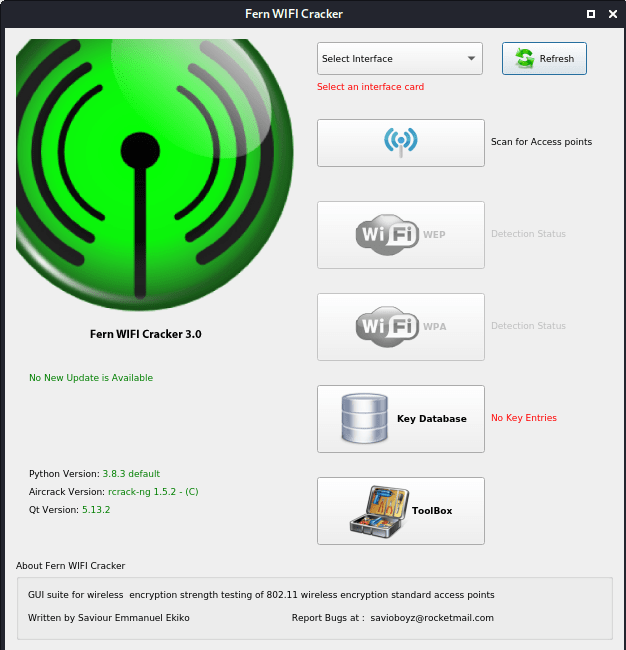
Hello again! In one of my blog posts, we talked about hacking wireless networks using a Command Line tool called aircrack-ng. The process was a bit complex for those who don’t have a good experience in using linux. So, this time, we will be using a GUI tool for WiFi hacking called “Fern WiFi cracker”. The process is quite straight forward with a very user friendly interface, but comparatively slower than the command line process.
Note: This is for educational purposes only and not intended to be used for any unethical purpose.
So, let’s get started!
Requirements:
- The first requirement is a linux operating system which, in most of the cases, I guess, will be kali linux because if you are practicing hacking, then it will definitely be your first choice, or maybe parrot OS. So in case you are not using kali linux, then you can install it for your linux distribution but will have to install some additional packages as well the procedure of which you can read here.
- The second requirement is a wireless adapter that supports monitor mode. Else, if your laptop’s built in wireless adapter supports monitor mode, then you don’t need one!
- A wordlist that contains a list of common passwords. You can get some best of them here.
Procedure:
So, on opening the app first you have to select the interface, which in my case is wlan1 for the external wireless adapter. So, when you select the interface, your internet connection will shut off as the card will be in monitor mode now.
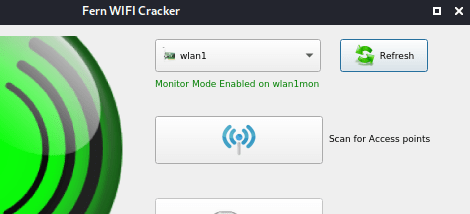
Now click on “Scan for Access points”. This will scan for all the available access points and will sort them as WEP or WPA/WPA2 encrypted networks.So, select the one which you want to attack. In my case, my AP has WPA security. So, I’ll select the WPA option.
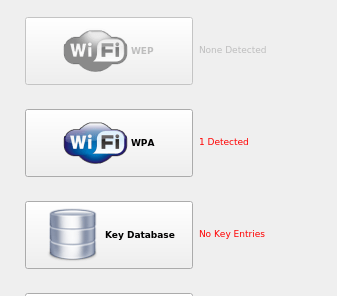
So, after we select our type, we now have a list of all the available AP’s with the selected encryption. We have two methods of attack:
- Regular method: In this method, we crack the encryption using the dictionary file that we will be selecting later.
- WPS method: In this method, we crack the encryption using the WPS key. But this method will only be available if the AP has WPS enabled by default. Only this option will have a “YES”.
Anyways, we’ll be using the 1st type of attack. So now, in the current dictionary file option, select your wordlist file and click on the WiFi attack option. You can also check the box for Automate but that doesn’t make much difference.
So now, the tool will automatically do all the processes required to crack the encryption like deauthenticate the connected device, capture the handshake and bruteforce it against all the entries in the wordlist till a match is found.
The success of this process also depends on the weakness of the password and also the wordlist. If the wordlist is good enough and contains a match, Voila! you’ll have the encryption key.
Common problems you can face:
- If it doesn’t show any available network even if there are some: If you don’t find any AP available after you put your card in monitor mode, then you can check if your card supports monitor mode because if it doesn’t, then you’ll not be able to find any clients.
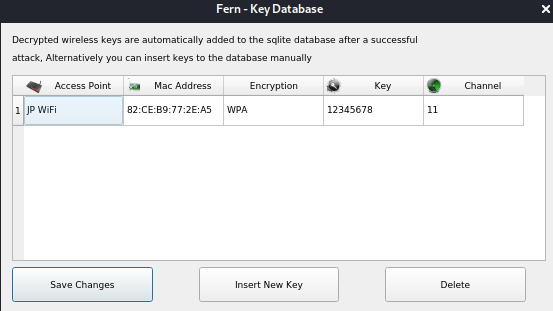
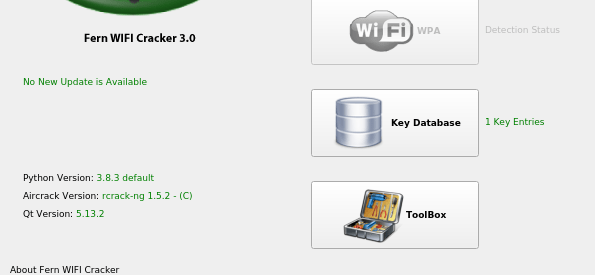
- Application exits after completing and doesn’t show the encryption key: In this case click on the “Key Database” option in the home page and you’ll find the key there along with other keys that you have cracked using this tool.
- WiFi stops working after exiting: If you face this problem after exiting the app, then open up the terminal and execute the following command:
sudo NetworkManager restart
If the problem still persists, then simply just reboot the device and it will start working again definitely.
So, I hope you like this easy method of WiFi cracking. If you have any problem or you have any queries, you can tell in the comment section or you can contact me on the links given at the end!
 Singh-jp-7